
trivago: Compare hotel prices
trivago N.V.Travel & Local
4.46.14K Reviews
- Version
- 7.1.0
- Installs
- 100.00M
- Age Rating
- Everyone
Screenshots

Our Review of trivago: Compare hotel prices
 Analysis by Appyee
I like trivago best as a starting point, not as a magic button that guarantees the cheapest stay. Its real value is bringing accommodation offers from different booking sites into one search, so I can compare options without opening a string of tabs. That makes it useful when I know where and when I’m travelling but haven’t settled on a hotel. I still check the final offer carefully before booking, because the comparison is only helpful if I compare the same room and terms.
As a travel app from trivago N.V., it is free to use and sits in the Travel & Local category. Its 4.5 average from around 368,000 ratings suggests that many people find the basic comparison job worthwhile, and it has passed 100 million installs. Those figures tell me it has broad appeal, though they don’t replace checking whether its search style suits the way I plan trips.
Where a comparison search earns its place
The biggest convenience is being able to scan offers gathered from major booking sites rather than starting over on each one. The service covers more than five million accommodation deals, which gives me a wide pool to explore. That scale is most useful early in planning: I can get a feel for what is available in an area, compare several properties, and then investigate the strongest candidates more closely.
I wouldn’t treat the first price I see as the final word. Before choosing, I compare the exact room type, dates, occupancy, and cancellation terms on the booking site that supplies the offer. A low headline price can be less attractive if it applies to a different room or has stricter conditions. My practical rule is simple: use trivago to discover and shortlist, then make the final comparison on a like-for-like basis.
Filters can also make a broad search less overwhelming. I find it sensible to set the needs that would genuinely change my decision first, such as a workable price range or a location near the place I plan to visit. Then I look at extras like breakfast or a pool only if they matter for that particular trip. This order helps prevent a long list of appealing but irrelevant amenities from distracting me from the basic question: will this hotel work for my plans?
Shortlisting is better than rushing
When several hotels look promising, saving favourites gives me a simple way to keep a shortlist while I compare. I use it to separate “worth checking” from “probably not,” rather than saving every place that looks attractive. That small bit of discipline makes the final decision easier, especially when two options trade location against price or comfort against convenience.
For a realistic example, imagine I’m arranging a weekend in a city where I’ll spend most of my time near a museum district. I’d search for the destination and dates, set a price ceiling I’m comfortable with, and use distance to remove places that would make getting around inconvenient. Then I’d save a few candidates, check their room and cancellation details on the relevant booking sites, and choose based on the whole stay rather than the lowest number alone. That workflow is more dependable than sorting by price and tapping the first result.
What the comparison can—and cannot—settle
A comparison app helps answer, “What offers should I investigate?” It cannot make a hotel’s location, room, or booking conditions right for me. The displayed options may come from different booking providers, so moving from a comparison result to a provider’s page is part of the decision, not an irritating detour to ignore. I take that handoff as the moment to verify the details that affect the trip.
I also wouldn’t rely on a price comparison alone when I already have a preferred booking provider or a specific hotel in mind. In that case, checking directly with that provider may be quicker, and I can focus on the terms and details I care about. Likewise, travellers who need a highly particular arrangement should verify that the exact room and conditions fit before committing rather than assuming that a broad search has resolved every detail.
Compared with manually repeating the same search across booking sites, trivago’s main advantage is convenience: it brings competing offers together for an initial scan. Compared with going straight to one booking provider, it can reveal alternatives I might otherwise overlook, but it adds another step before I’m ready to book. I see those approaches as complementary. The comparison is useful for discovery; the provider’s own offer is where I confirm the booking details.
Who I’d recommend it to
I’d recommend the app to flexible travellers who are still choosing between several hotels, especially when they want to compare options in one destination without checking each booking site from scratch. It also suits anyone making a practical shortlist around a location, price limit, or a few important amenities. Since the app is free, it is easy to try as an extra research tool even if I ultimately book elsewhere.
It is less compelling for someone who has already chosen a hotel and simply wants to manage a reservation, or for a traveller who prefers to search within one familiar provider from beginning to end. In those cases, the comparison step may add little. I’d also advise anyone with fixed requirements to verify them on the final offer page rather than assuming that a result’s general description covers every detail.
The app is rated for Everyone, and its current version is 6.61.1, with Android support from version 9. It has been available since December 3, 2010, so it is a long-running option in the travel-search space. I’d still judge it by the usefulness of the results for my own dates and destination, not by its age or popularity alone.
Here’s the thing: booking hotels can be a bit of a hassle, right? You’ve got to juggle different websites, compare prices, and hope you're not missing a killer deal. Enter trivago: Compare hotel prices. If you haven’t tried it out yet, let me walk you through why this app might just become your new best travel buddy.
First Impressions: Sleek and User-Friendly
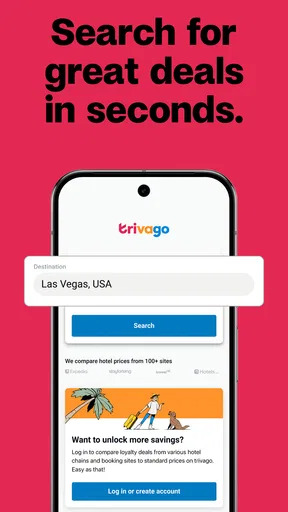
As soon as you fire up the trivago app, you’re greeted by a clean and intuitive interface. I’m talking no clutter, just straight to the point. The home screen features a search bar where you simply pop in your destination and dates. Boom, you’re off to the races. It’s like having a personal travel agent in your pocket.
Features that Stand Out
Now, let’s dive into what makes this app tick. First off, its database is massive. We’re talking about comparisons from numerous booking sites like Booking.com, Expedia, and more. This means you’re getting a wide spectrum of prices, ensuring you snag the best deal out there.
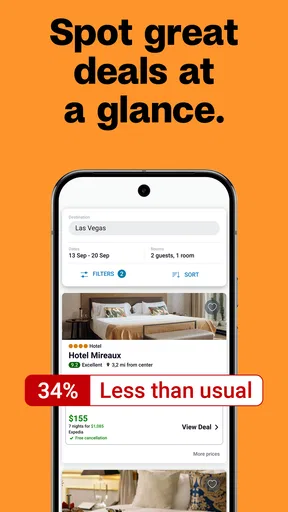
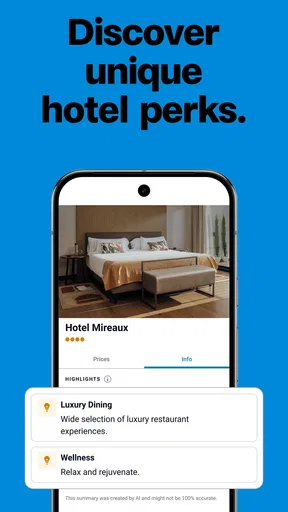
Another cool feature? The filters. You can narrow down your search by price range, ratings, amenities, and even distance from landmarks. So if you’re looking to stay within a stone’s throw of that iconic museum or need a place with a pool and breakfast included, trivago’s got your back.
Smooth Navigation and Details
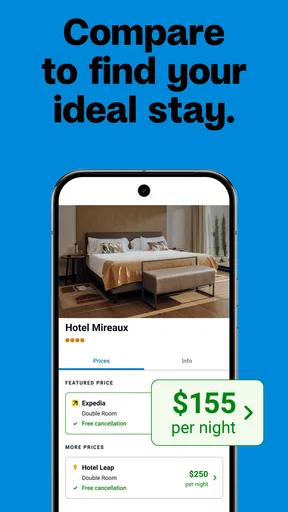
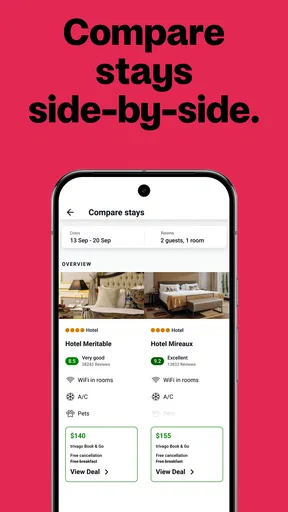
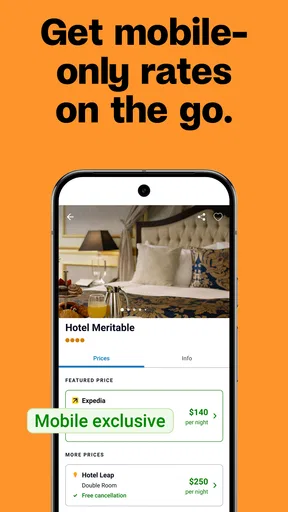
Once you pick a hotel, trivago doesn’t leave you hanging. You get a detailed breakdown of prices from different sites, along with user ratings and photos. I really appreciate how transparent it is about costs—no sneaky fees lurking in the shadows.
The app also lets you bookmark your favorite hotels. This is super handy if you’re like me and want to keep a shortlist of contenders before making a final decision.
Personal Experience: On the Go
I recently used trivago for a last-minute trip to New York City. I was in a scramble, but the app made it a breeze. Within minutes, I had a list of hotels sorted by price and distance to Times Square. The booking process was seamless, and I felt confident I was getting a sweet deal.
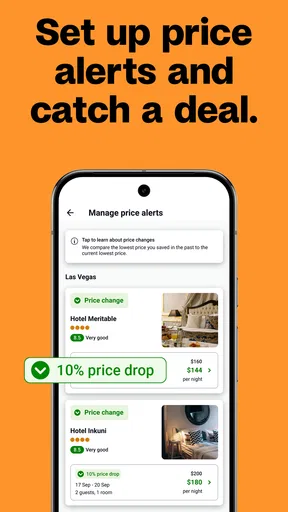
The app also updates in real-time. This means if a hotel drops its price, you’ll be the first to know. It’s like having your ear to the ground in the hotel world, and who doesn’t love a spontaneous discount?
Ending Thoughts: Why You Should Give It a Go
So, is trivago: Compare hotel prices worth the download? Absolutely. It’s a powerhouse app for anyone who travels, whether you're planning a luxurious getaway or a budget-friendly adventure. It’s user-friendly, comprehensive, and honestly, a bit of a game-changer when it comes to finding the best hotel deals.
If you're tired of endlessly hopping from one booking site to another, give trivago a whirl. It might just save you time, money, and a whole lot of travel-related stress. Happy travels!
Privacy and Permissions
See what permissions an app requests and how it handles your data.
- Location
- approximate location (network-based), precise location (GPS and network-based)
- Other
- view network connections, expand/collapse status bar, full network access, prevent device from sleeping
Verdict
Strengths of trivago: Compare hotel prices
- Comprehensive price comparisons.
- User-friendly interface design.
- Wide range of filter options.
- Quick booking links available.
- Supports multiple languages.
Limitations of trivago: Compare hotel prices
- Occasional slow loading times.
- Ads can be intrusive.
- Limited hotel reviews.
- Some outdated price info.
- Lacks direct customer support.
Similar Picks in This Category
View All
Google Maps
Google LLC3.4

Google Maps Go
Google LLC4.1

Booking.com: Hotels & Travel
Booking.com Hotels & Vacation Rentals4.8

Google Earth
Google LLC3.8

Skyscanner Flights Hotels Cars
Skyscanner Ltd4.8

Tripadvisor: Plan & Book Trips
Tripadvisor4.5
Frequently Asked Questions
What is trivago and how does it work?
Trivago is an online hotel search platform that allows users to compare prices from various booking sites. It aggregates data from different platforms, providing users with a comprehensive list of available accommodation options. Simply enter your travel dates and destination, and trivago will display a variety of hotels, allowing you to compare prices and features easily.
Is trivago free to use, and do I need to create an account?
Yes, trivago is completely free to use. You do not need to create an account to compare hotel prices. However, signing up may provide additional features such as saving searches or receiving personalized recommendations. The platform earns revenue through referrals to booking sites, not from user fees.
Can I book hotels directly through trivago?
No, trivago does not handle bookings directly. It serves as a search engine to compare hotel prices and availability. Once you find a suitable option, trivago redirects you to the hotel or booking site where you can complete your reservation. This ensures you get the best deal directly from the source.
How accurate are the hotel prices listed on trivago?
Trivago strives to provide accurate and up-to-date pricing by aggregating data from numerous booking sites. However, prices can fluctuate due to factors like availability and demand. It’s advisable to verify the final price on the booking site before confirming your reservation, as trivago does not control these changes.
What features does trivago offer to enhance my hotel search?
Trivago offers several features to streamline your search, including filters for price range, star rating, guest reviews, and amenities. You can also sort results by popularity, distance, or price. The platform’s intuitive interface and detailed hotel profiles help users find accommodations that best meet their needs and preferences.
